Shopping Cart
There are no more items in your cart
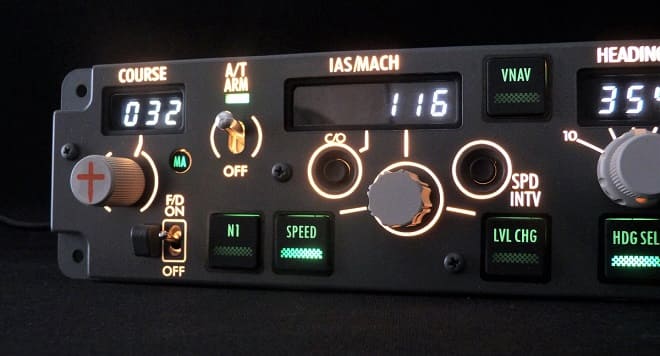
Backlight detail
Left side backlight.




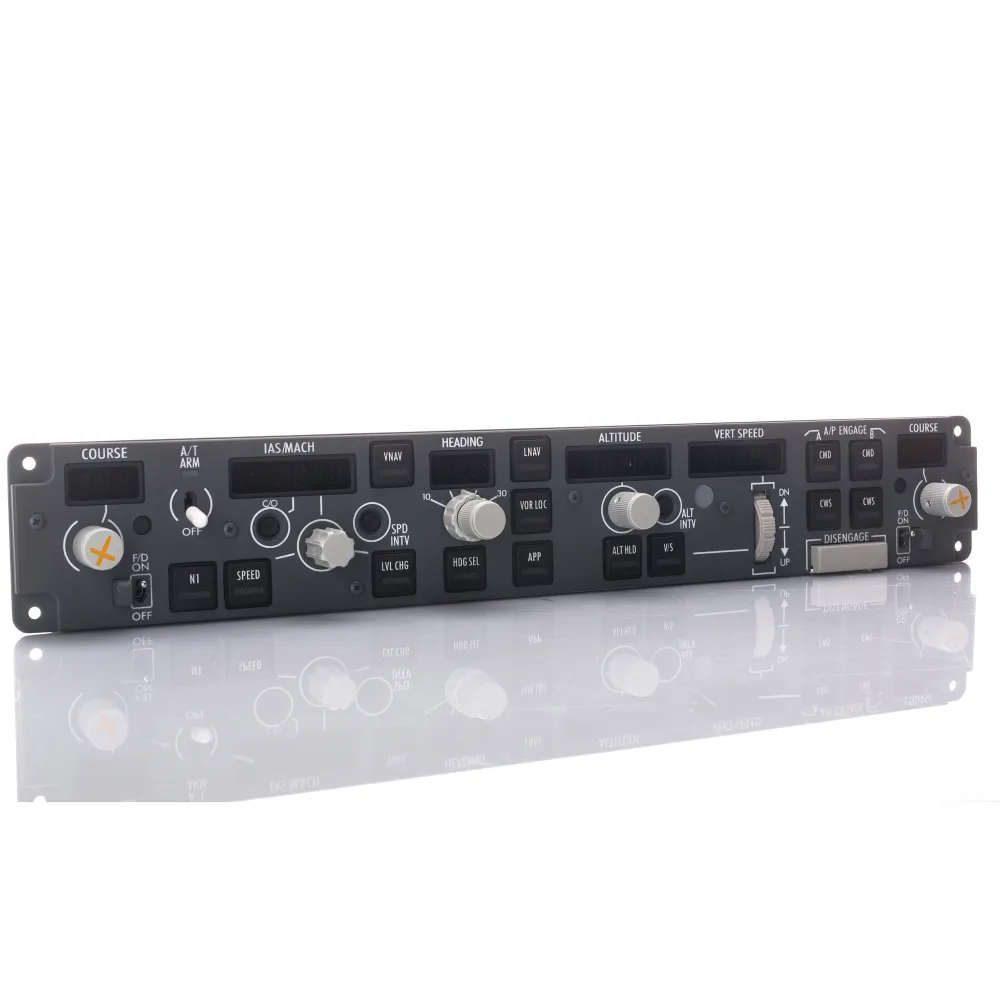
Mode Control Panel - MCP - for Boeing 737 Style Flight Simulator Systems, USB.
Every single display, button and switch works simulating the original
Switch lever with electromagnetic disconnection
All USB types are supported
LED 7 segments. Digit height: 0,3” (7,6mm)
Vertical Speed, Heading, Speed, Left Course and Right Course
Auto Throttle ARM switch with Green LED indication
Designed by studying the dimensions of the original components
| Power AC 110-240V required |
Multi-voltage power supply (no change necessary) from 110 to 240V AC |
|
|---|---|---|
| Daisy Chain connection for external devices |
5-pole DIN connector for connection to secondary peripherals, such as MIP panels and pedestal |
|
| Aluminium Knobs |
Knobs are made of aluminium with printed symbols on course knobs |
|
| Warm white high resolution backlighting frontplate |
Adjustable backlight |
|
| Cable included |
USB cable and 6Vdc 1A power supply adapter provided |
|
| Bank angle limit selector |
10°, 15°, 20°, 25°, 30° |
|
| Toggle switches for Left and Right Flight Director |
With “MA” Green LED indication |
| Digital long life encoders |
Included in the product |
|
|---|---|---|
| Ambient light sensor |
For display brightness regulation |
|
| Backlight brightness regulation |
Internal and external adjustment |
|
| Many other featrues included |
Disengage bar and flight director protections, C/O, speed and Alt intervention buttons, green legend backlit pushbuttons |
Left side backlight.
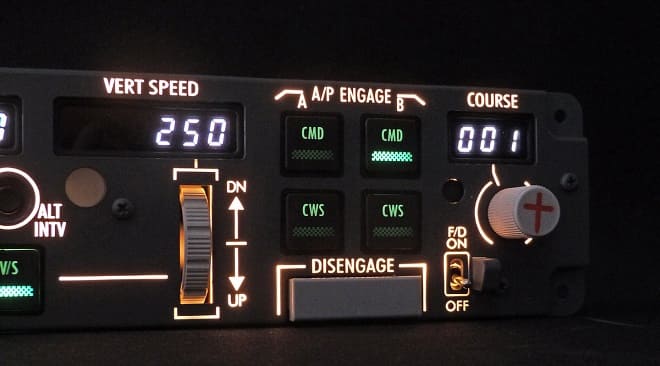
Right side backlight.
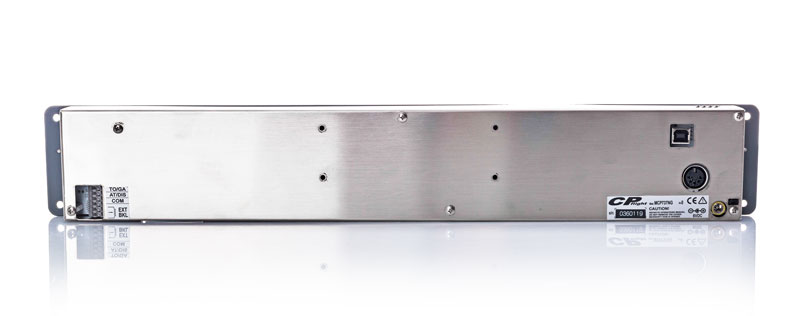
The USB and power connections are located on the back of the product.
A USB connection can serve various purposes: in fact, USB is the acronym for "Universal Serial Bus."
Some of these connections are used to create virtual COM ports to allow serial communication.
The disadvantage of this solution is related to the fact that there are two connections on the PC: one to the peripheral and one to the operating system.
In fact, in Device Manager, you can see both the USB device and its corresponding COM port.
If software is using the COM port and the USB connection is lost, communication is interrupted, but the software continues to occupy the port.
When communication resumes, because the original port is still occupied, the driver will assign a new port with a different number, effectively preventing reconnection.
A solution could be a LAN TCP/IP connection.
Not all of our peripherals have dual ports (USB and LAN), but where they are solely USB, it is a design choice to simplify circuitry or for reasons strictly related to speed (such as the Control Loading system).
For HID peripherals (joysticks), these problems do not occur because the peripheral is always recognized even if it was previously disconnected.
A Daisy Chain connection is a type of configuration where multiple devices are connected in series, one after the other, forming a chain. In this setup, each device is directly connected to the next, creating a continuous line of connections.
The main connection is the MCP, without which it is not possible to connect all other peripherals to the computer.
We prepare our products for dispatch with care, to ensure they reach our customers in exactly the same condition as when they leave our premises.
We avoid generic packaging and work with specialist partners who create bespoke solutions for us for each product, using extremely robust, high-quality packaging materials.
Where necessary, we provide additional protection for individual components using heat-sealed, multi-layer internal barriers to ensure complete protection against moisture, temperature fluctuations and any extreme weather conditions.


